Why BMaaS exists (and Who It’s For)
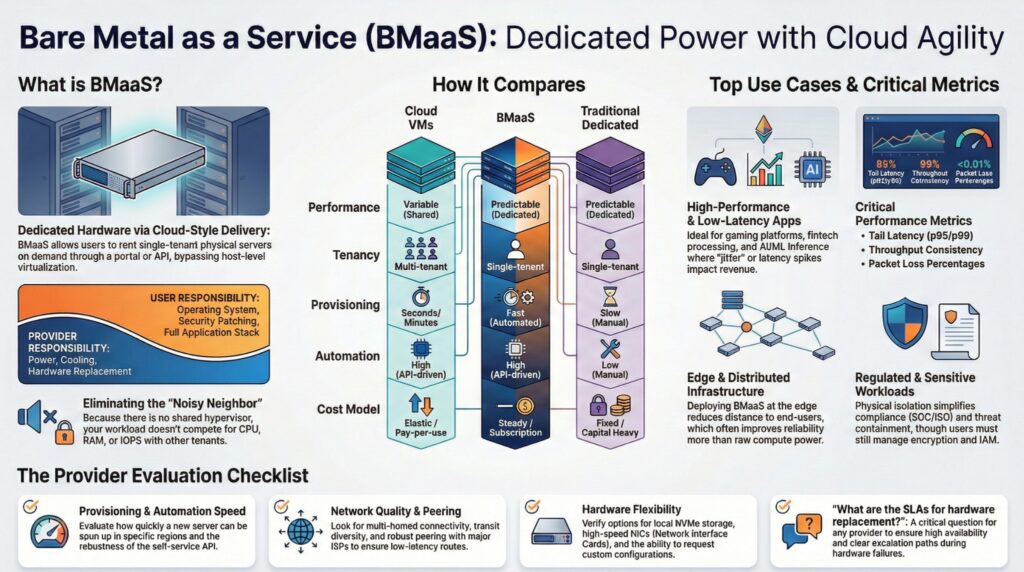
Deliver predictable performance, single-tenant isolation, low-latency control, and eliminate noisy-neighbor risks—all without managing physical hardware. Bare Metal as a Service (BMaaS) provides direct access to physical servers with cloud-style provisioning and lifecycle support. It’s designed for workloads that can’t tolerate variability, need strong isolation, or require hardware-adjacent performance features.
BMaaS isn’t just a dedicated server — it’s dedicated hardware delivered with cloud-style provisioning and lifecycle support.
This guide helps infrastructure leaders, architects, and platform teams evaluate when BMaaS is the right fit, how it works, and what to measure for performance, cost, and reliability.
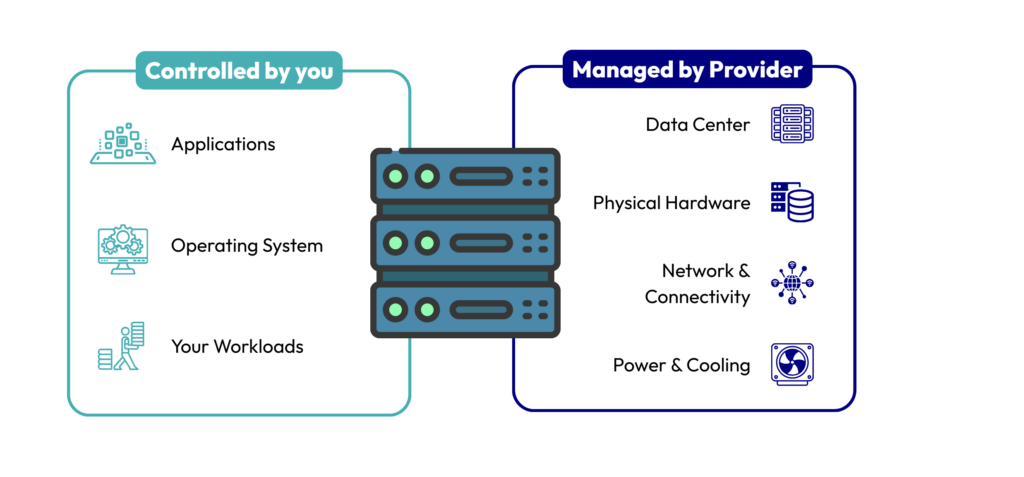
BMaaS lets you rent a single-tenant physical server on demand through a portal or API. You get dedicated CPU, RAM, storage, and network without host-level virtualization or the traditional cloud-hosting. The provider manages the data center, hardware, and server lifecycle, while you control the OS, applications, and runtime environment.
What BMaaS is NOT
Not traditional dedicated
BMaaS is not simply “a dedicated server.” Traditional dedicated servers often involve manual setup, long contracts, and limited automation. BMaaS platforms often add a service layer similar to a cloud service, that may include faster provisioning, standardized images, lifecycle management, and integration with modern cloud environments—though specific features vary by provider.
Not VMs
BMaaS is also not the same as virtual machines. There is no virtualization layer, host-level virtualization is required for performance isolation; the server is single-tenant and no competition with other tenants or multiple users for hardware resources.
How BMaaS Works
BMaaS follows a clear split of responsibilities:
Provider handles:
- Facility operations (power, cooling, physical security)
- Hardware provisioning and replacement
- Baseline monitoring
You handle:
- OS installation and patching
- Security configuration and access control
- Full application stack
Tradeoff: You gain full performance control but still need strong OS/security operations unless you add managed services.
BMaaS vs Cloud VMs vs Traditional Dedicated Servers
Quick Comparison
| Factor | Cloud VMs | BMaaS | Traditional Dedicated Servers |
|---|
| Performance consistency | Variable | Predictable | Fast, typically |
| Isolation/ Tenancy | Multi-tenant | Single-tenant server | Single tenant |
| Provisioning speed | Fast | Fast | Slow |
| Automation | High | High | Low |
| Cost model | Bursty, elastic | Steady | Fixed |
| Ops responsibility | Low | Medium | High |
When each model makes sense
Choose this if…
- Cloud VMs: You need burst scaling and can tolerate variable performance.
- BMaaS: You need steady performance, isolation, and hardware control without owning equipment.
- Dedicated / Colocation: You need deep customization and long-term fixed infrastructure.
Why Teams Choose BMaaS (Benefits That Matter in Practice)
- Predictable performance: Dedicated CPU, RAM, and storage minimize resource contention for high-performance computing, analytics, and large-scale workloads.
- Control without owning hardware: Full root and kernel access while the provider handles disk failures, server swaps, and facility operations.
- Security & isolation: Single-tenant environments simplify threat containment. You remain responsible for OS hardening, patching, and access policies.
- Cost efficiency for steady workloads: Pay for resources you fully use, rather than virtual servers sized for peaks.
- Compliance-enabling characteristics: Isolation, control, and placement can help meet policy or data residency requirements.
When BMaaS is the Right Choice
BMaaS is a strong fit when:
- You need low latency or consistent throughput
- You require isolation for policy or sensitive data
- Resource contention in public cloud platforms impacts performance
- You need hardware-adjacent features such as local NVMe, high NIC speeds, or DPDK
- You want more control without managing physical infrastructure
When BMaaS is NOT the Best Fit
BMaaS may not be ideal for highly unpredictable traffic, teams unable to manage operating system security, or applications best served by platform as a service or serverless models.
BMaaS Pricing & Provisioning Reality
Cost drivers:
- CPU, RAM, storage type (NVMe vs HDD)
- Bandwidth model, port speeds
- Support tier, cross-connects, private networking
Provisioning factors:
- Data center region and capacity
- Custom configuration requests
- Hardware availability and stock
Tip: Standard configurations provision faster than custom builds. Plan around region-specific lead times to avoid delays.
Common BMaaS Use Cases (Mapped to Measurable Needs)
Gaming platforms, streaming services, real-time bidding, fintech processing, and AI/ML inference benefit from dedicated resources and predictable latency. These workloads often power mission-critical applications where latency spikes or jitter directly affect user experience or revenue.
Key metrics to track: latency, jitter, packet loss, throughput consistency, tail latency (p95/p99), and CPU saturation.
Regulated / sensitive workloads
Bare Metal servers support compliance by providing isolation and full control over physical servers. However, it is not compliant by default—customers must still implement encryption, IAM, audit logging, and policy enforcement.
Key metrics to track: isolation effectiveness, audit log completeness, encryption coverage, compliance adherence, and IOPS.
Edge and distributed infrastructure
For edge computing, placement matters. Distance, routing quality, and peering relationships directly affect latency and reliability, often more than raw compute power.
Key metrics to track: regional latency, routing stability, packet loss, throughput consistency, and tail latency.
Hybrid + disaster recovery
BMaaS is frequently used for dedicated recovery environments or as part of hybrid designs, with private connectivity to cloud providers, IaaS platforms, or colocation facilities.
Key metrics to track: recovery time objectives (RTO), replication throughput, failover latency, and CPU/memory utilization under DR load.
Infrastructure Essentials that Make or Break BMaaS
Data center fundamentals (what to verify)
Verify redundancy, SLAs, remote hands availability, and hardware replacement processes. These directly influence high availability and recovery outcomes.
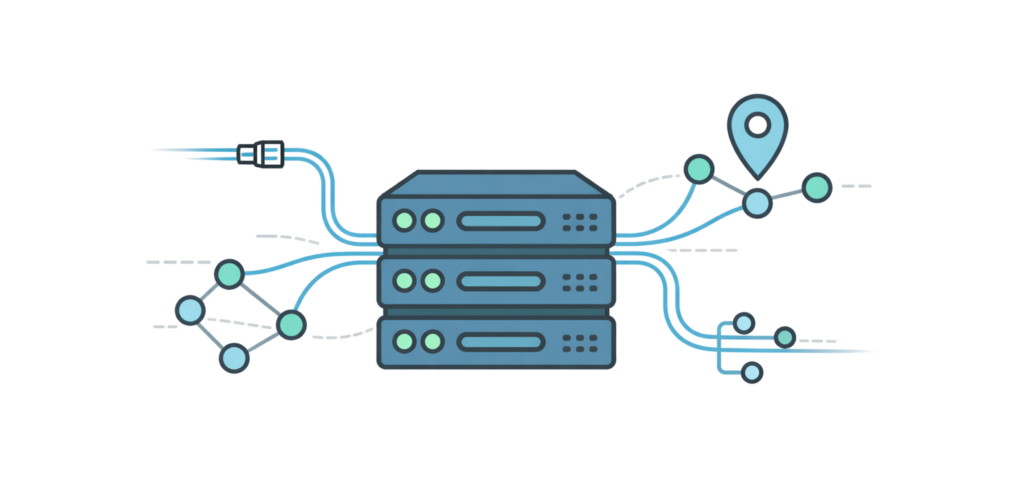
Network & connectivity (enterprise reality)
Enterprise BMaaS infrastructure depends on resilient server infrastructure, strong peering, transit diversity, bandwidth options, DDoS protection, and support for BGP or private networking, where offered.
Why network proximity matters
Latency, routing stability, and packet loss affect application behavior—especially for distributed systems and edge workloads—making network location a critical design factor.
Security & compliance considerations (no fluff)
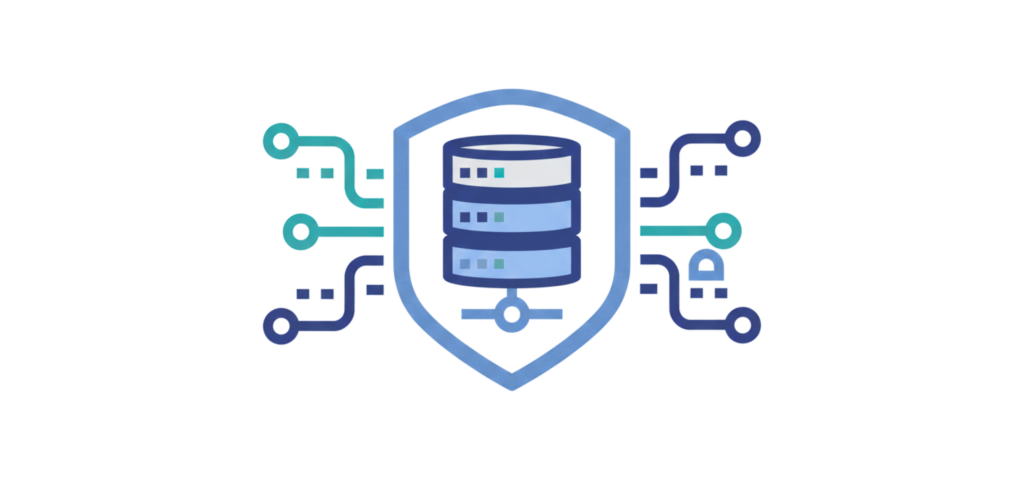
Isolation + segmentation
A single-tenant physical machine combined with network segmentation reduces lateral risk across multiple servers and tenants.
Provider security controls to look for
Look for physical security, monitoring, DDoS mitigation, access policies, and logging options. Security add-ons should be transparent and clearly scoped.
Compliance readiness checklist
Request evidence such as SOC or ISO reports, DPAs, and data residency guarantees. Internally, teams must still manage encryption, IAM, vulnerability management, and audit trails.
How to choose a BMaaS provider (A Practical Checklist)
Rate each category 1–5 (1 = poor, 5 = excellent) to compare providers.
1. Provisioning & Automation
What good looks like: Fast server deployment, self-service portal/API support, repeatable automation for scaling.
2. Hardware Options
What good looks like: Flexible CPU, RAM, storage choices, optional accelerators, and upgrade paths.
3. Network Quality & Peering
What good looks like: Redundant paths, multi-homed connectivity, low-latency routes, robust peering with major ISPs.
4. Security & Compliance Docs
What good looks like: SOC/ISO reports, audit logs, encryption support, documented policies and DPAs.
5. Support & SLAs
What good looks like: Clear response time commitments, remote hands availability, proactive monitoring, and escalation paths.
6. Pricing Transparency
What good looks like: Clear billing for compute, storage, bandwidth, ports, cross-connects, and support tiers.
Key Questions to Ask Providers
- “What is the typical time-to-provision for a new server in region X?”
- “What are the port speeds and bandwidth billing model?”
- “What DDoS protections are included versus add-ons?”
- “What are the SLAs for hardware replacement?”
- “What compliance documentation can you provide?”
BMaaS with EdgeUno: How It Maps to a Provider Evaluation Checklist
When comparing BMaaS providers, it helps to evaluate footprint, connectivity, deployment flexibility, and operational support. Here’s how EdgeUno aligns with these criteria.
EdgeUno operates across multiple regions, supporting edge computing and regional workload placement. This lets teams deploy servers closer to end users, improving latency and routing stability for distributed or latency-sensitive applications. See data center map & regions.
Network connectivity and routing quality
Connectivity is critical for performance. EdgeUno can provide multi-homed connectivity (confirm by region). Network & peering details.
Deployment model and server options
EdgeUno offers single-tenant physical servers delivered via a cloud-like service model. Teams retain direct hardware access to run custom OS configurations and performance-sensitive stacks without virtualization constraints. Product/service page.
Operational support and lifecycle handling
Hardware lifecycle, data center operations, and server replacement are managed by EdgeUno. Customers control the OS and application layer, while enterprise-grade support + SLAs designed for reliability (review SLA terms). Support & SLA details.
Fit within hybrid and edge architectures
EdgeUno is designed to complement public cloud platforms or private infrastructure. Its placement and connectivity capabilities make it suitable for hybrid deployments, disaster recovery, and edge expansions, where predictable performance is key. DDoS & security overview.
Best-fit scenarios
- Latency-sensitive deployments needing strong connectivity
- Hybrid/edge expansions
- Performance-heavy workloads needing predictable throughput
How to evaluate EdgeUno:
Ask about provisioning times in your target region, port speeds, bandwidth billing models, DDoS protection scope, and compliance documentation. You can verify claims directly via linked resources: data center map, network peering info, SLA/support pages, and security documentation. This approach ensures you see the evidence before committing.
Frequently Asked Questions (FAQs)
How is BMaaS different from colocation?
BMaaS provides dedicated physical servers with cloud-style provisioning and lifecycle management, while colocation requires you to own and maintain the hardware.
BMaaS delivers dedicated hardware without a virtualization layer for consistent performance, at the cost of less elasticity and instant scaling compared to cloud VMs.
How fast can BMaaS be provisioned?
Provisioning depends on region, hardware availability, and configuration. Standard setups deploy faster than custom builds.
Can BMaaS integrate with hybrid environments?
Yes. BMaaS can connect with cloud, colocation, or on-prem systems via VPNs, private links, or custom routing.
Is BMaaS secure enough for sensitive workloads?
Single-tenant servers reduce shared-risk exposure. Customers remain responsible for OS security, patching, encryption, and access controls.
Who benefits most from BMaaS?
Teams with steady, demanding workloads needing dedicated hardware, direct access, isolation, and control without owning servers.
What info do I need for a BMaaS recommendation?
Region/users, traffic patterns, CPU/RAM, storage type, port speeds, bandwidth requirements, and compliance needs.
Can I choose region/PoP based on my users?
Yes. Server placement affects latency, routing stability, and application performance, making region choice critical.
Conclusion
BMaaS bridges the gap between virtualized cloud servers and owning physical hardware, delivering dedicated performance, isolation, and control without the overhead of managing infrastructure. It’s ideal for workloads that need predictable throughput, low latency, and compliance-ready environments.
To provide a tailored recommendation, we’ll need:
- Your target region or user locations
- Traffic patterns and workload type
- CPU, RAM, and storage requirements
- Port speeds and bandwidth expectations
- Compliance or data residency needs
Ready to get Started?
Get a sizing + placement recommendation based on your region, traffic patterns, latency targets, and compliance needs — and receive a clear estimate for compute, storage, and bandwidth.
👉 Request a quote or book a consultation with an EdgeUno infrastructure specialist.